 Alan Schwegler
Bringing a legacy graphics tool into a modern web canvas.
A feature inside Metasys UI that lets building operators see and edit live visualizations of their facilities. I led the UX to bring Johnson Controls' legacy Graphics Generation Tool (GGT) into the new HTML5 experience — and shipped it as the very first feature in Metasys 7.1.
The work at a glance.
- The problem
- Operators needed to create and edit facility graphics inside the modern Metasys platform.
- My responsibility
- Sole designer on the feature, working within the wider JCI UX team.
- The key decision
- Bring the legacy editing workflow into a web canvas, with supporting tools for creating graphics and configuring their behavior.
- The outcome
- The feature shipped in Metasys 7.1, bringing graphics editing into the new web experience.
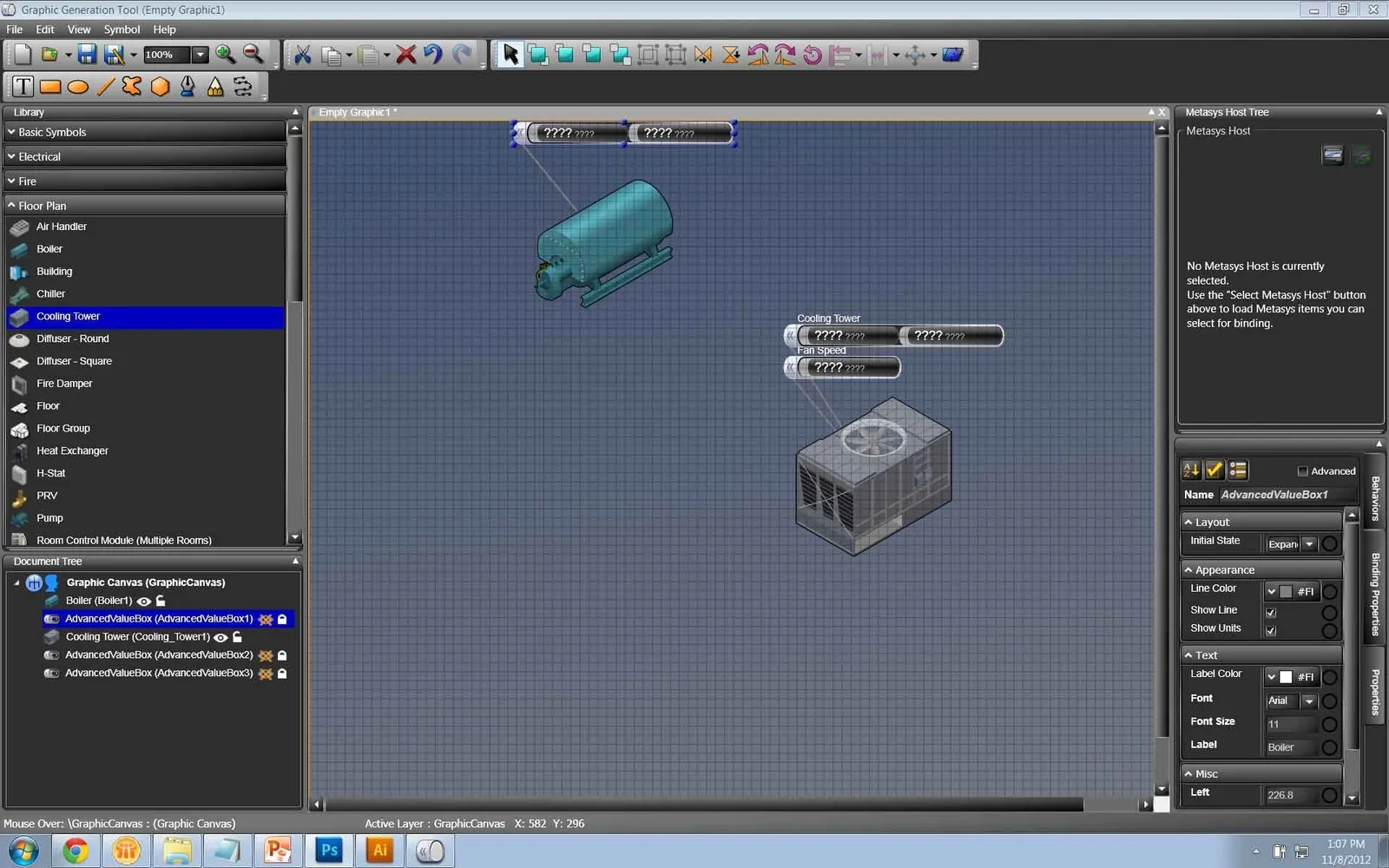
Part of what sets Metasys UI apart is the ability to see and edit visualizations of the spaces and equipment inside a building.
Graphics — a feature within Metasys UI — gives building operators a comprehensive, photo-realistic representation of their facility’s support systems.
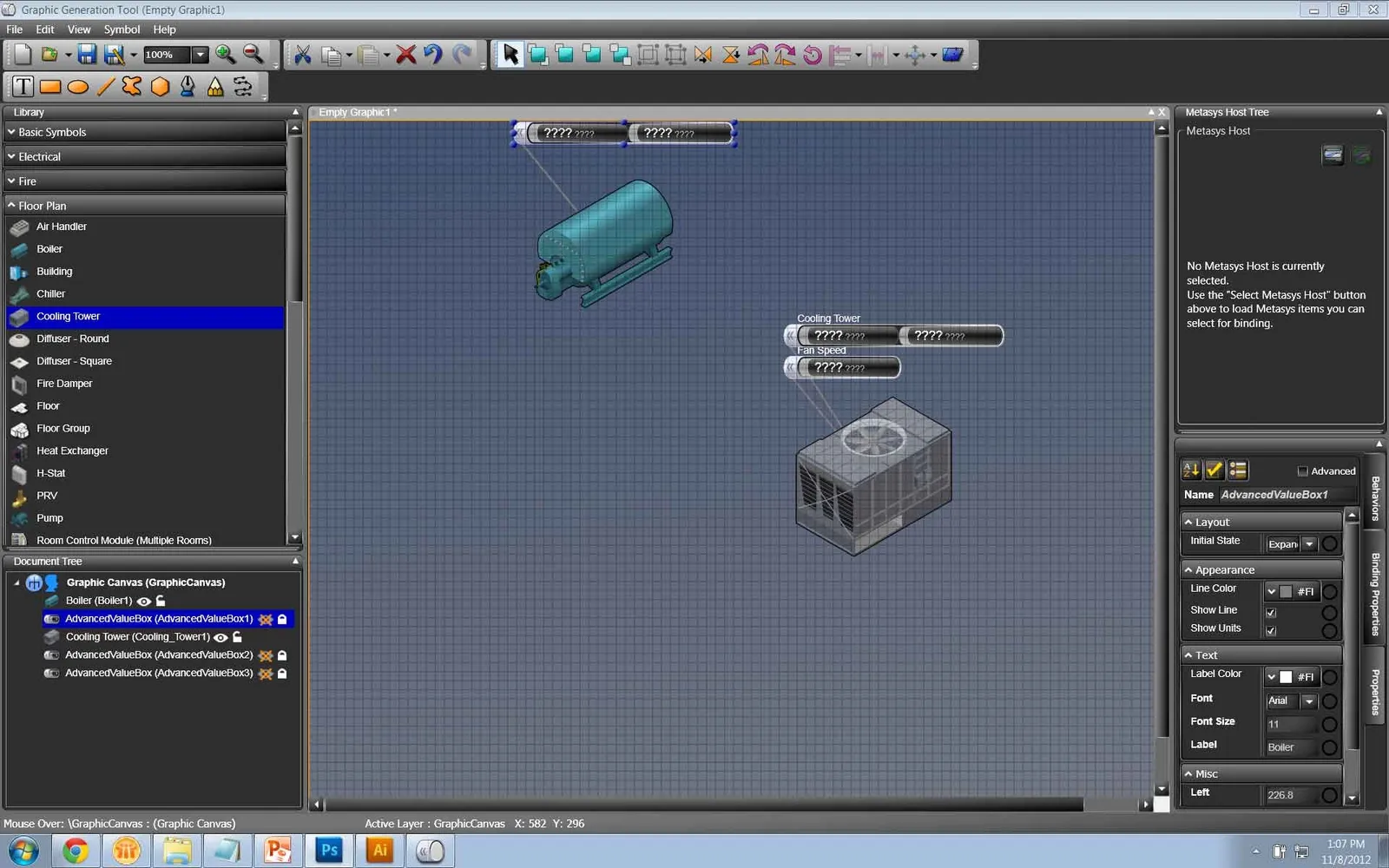
The UX team was tasked with taking the legacy Graphics Generation Tool — a dated JAVA editor — and reimagining it as a first-class part of the new HTML5 Metasys UI experience.
Three problems standing in the way.
Legacy into modern
Integrate the old JAVA experience — GGT — into the brand-new HTML5 Metasys UI without losing the power operators relied on.
Editing on the go?
How would editing work from a mobile perspective — or did we need to pursue something adaptive instead?
Custom logic
Let “Graphic Creators” add dynamic behavior — e.g. if a temperature hits 105°F, flash an alarm on Graphic X — without writing code.
From flat IA to a tested, shippable editor.
Ground it in real users and a flat IA
I started with the primary users of the new Graphics Editor — Stationary Operators and Graphics Creation Engineers, several of whom had already been fleshed out in our initial Metasys UI research. From there I sketched how GGT’s core features would translate into HTML5. The hardest constraint was keeping the information architecture flat: “number of clicks” was the phrase thrown around the office, and the stakeholders’ measure of whether something was intuitive.
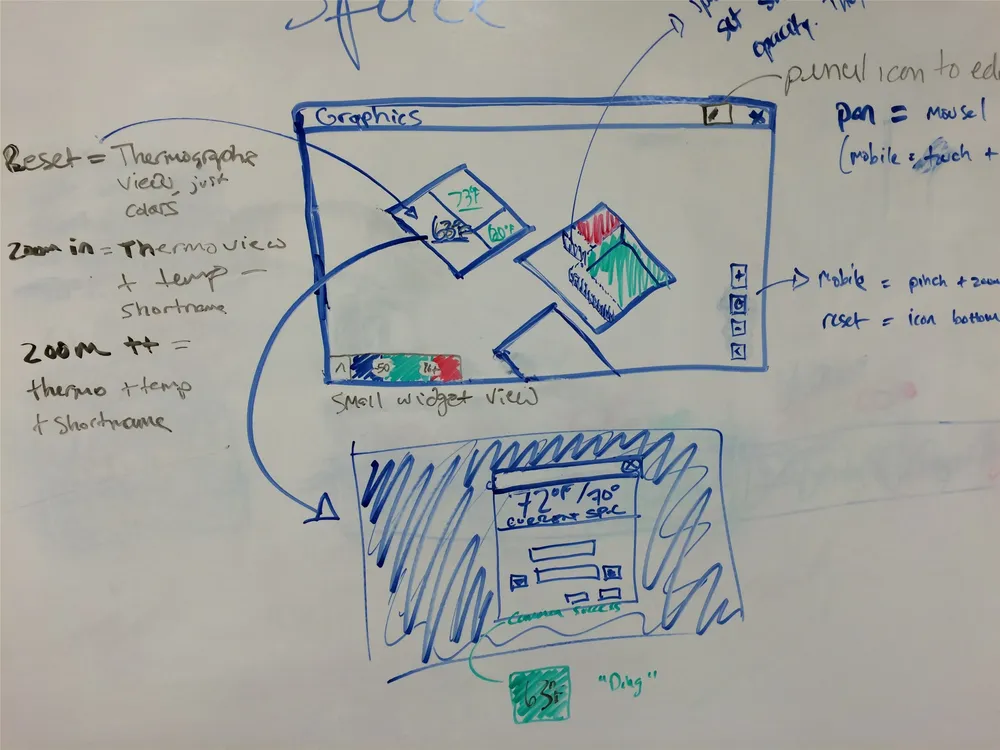
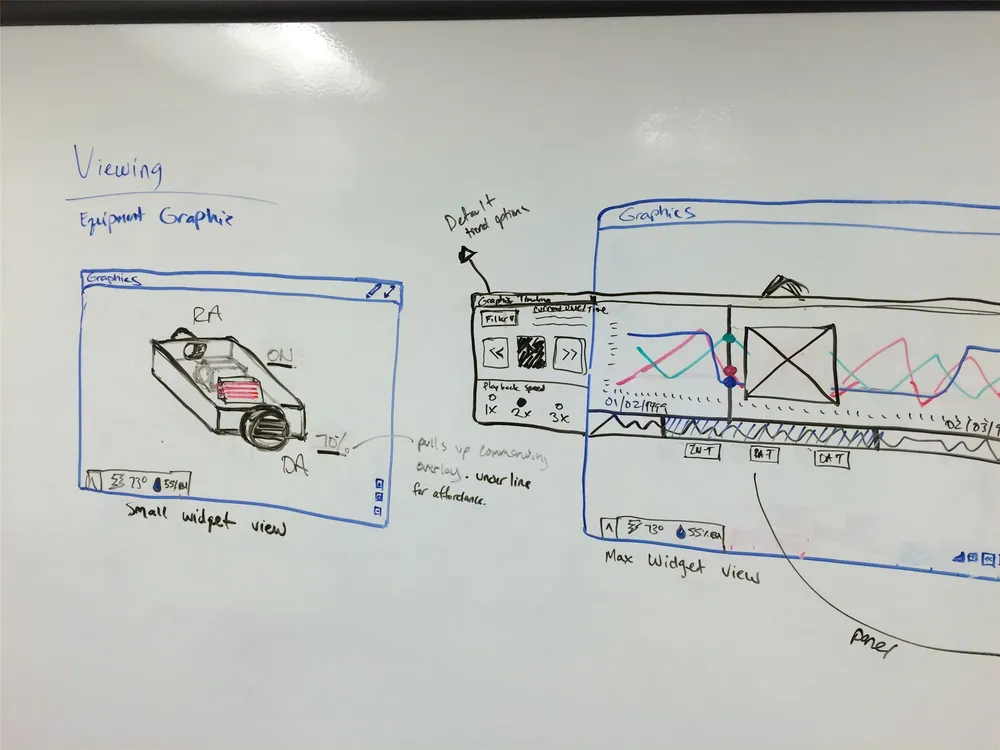
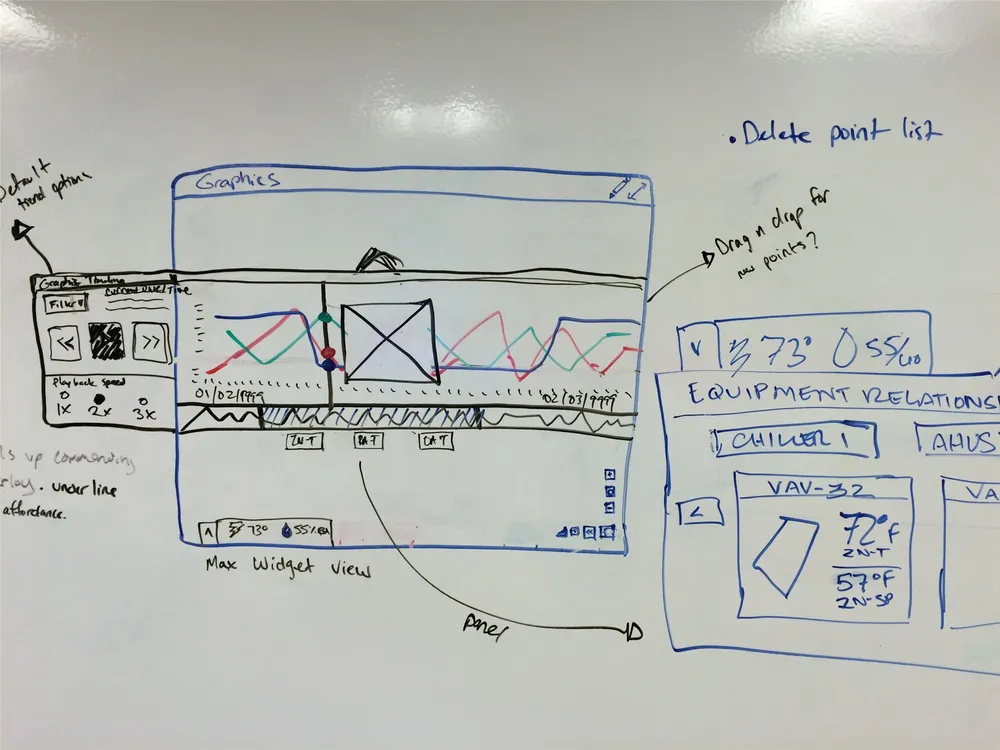
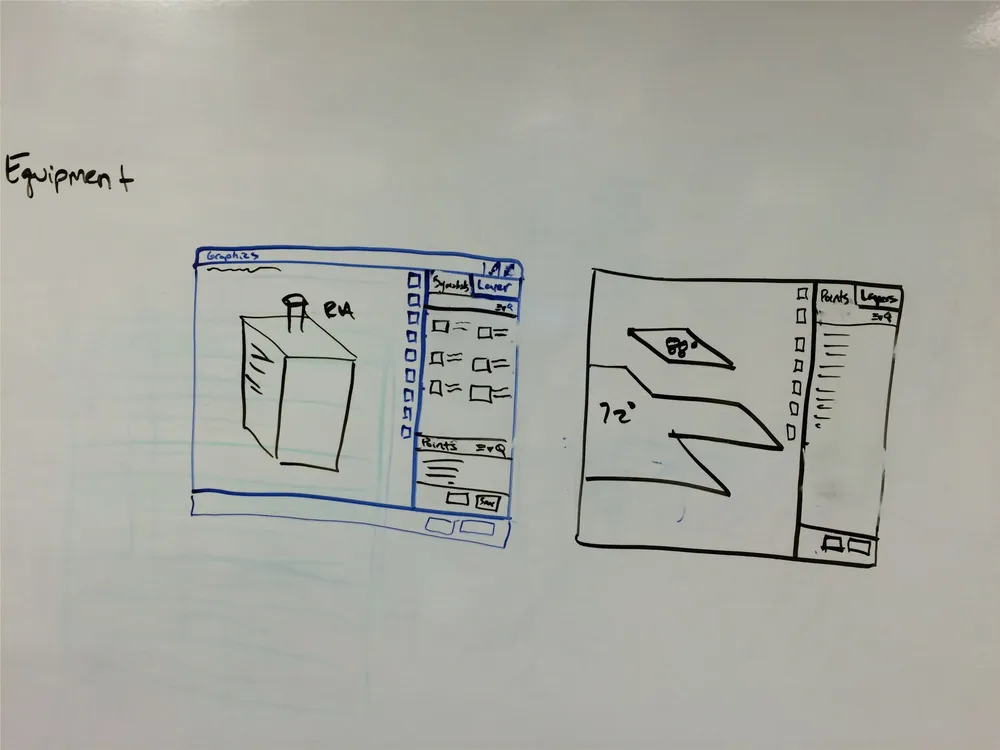
Early brainstorming & integration sketches
Prototype the core workflows, then test
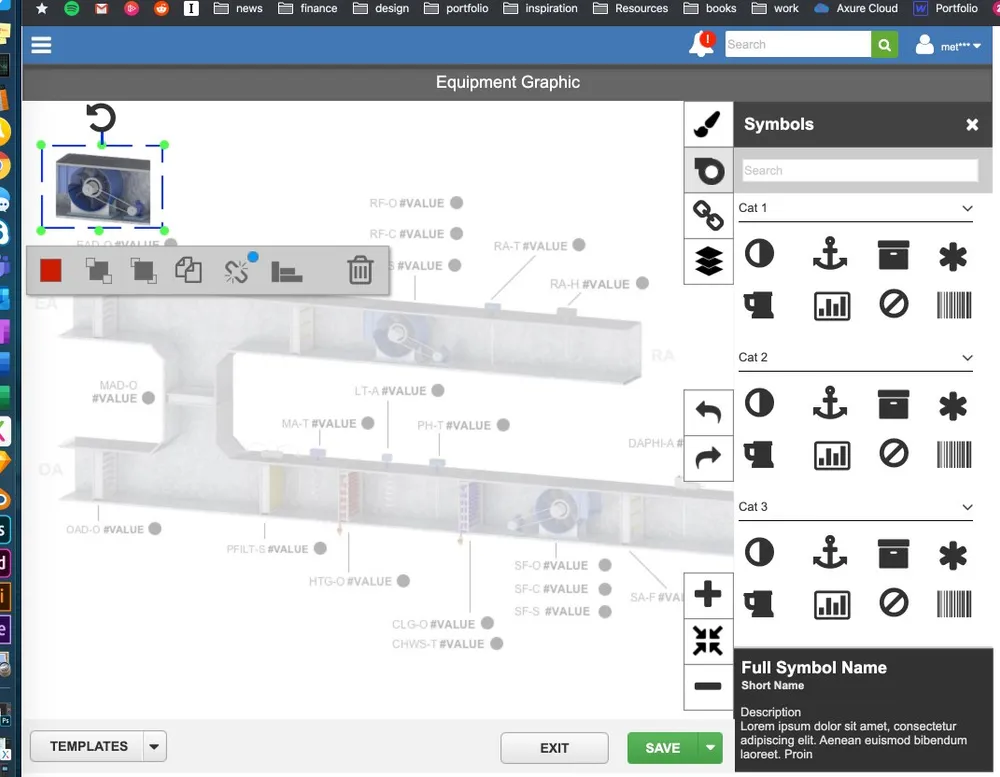
With the sketches approved, I built an interactive Axure prototype of the primary workflows — entering edit mode, accessing drawing tools, adding symbols, configuring bindings, and adding layers — so I could run usability testing with real users.
Primary-workflow prototype — 8nk7m5.axshare.com ↗· password-protected — credentials on request
Supporting artifacts
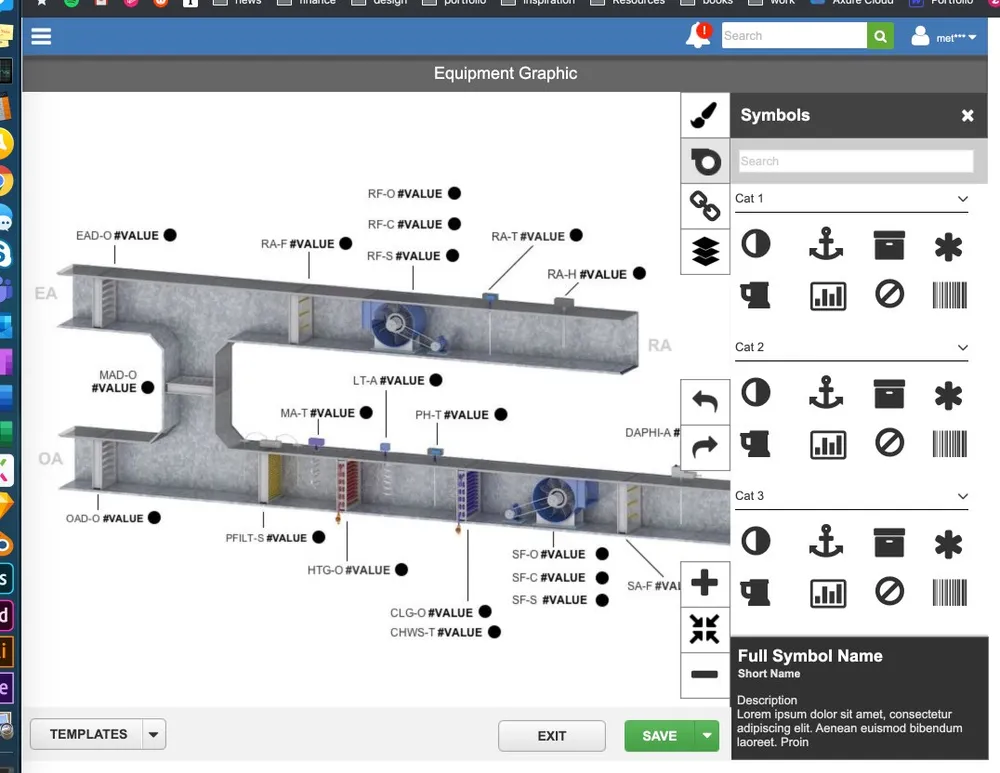
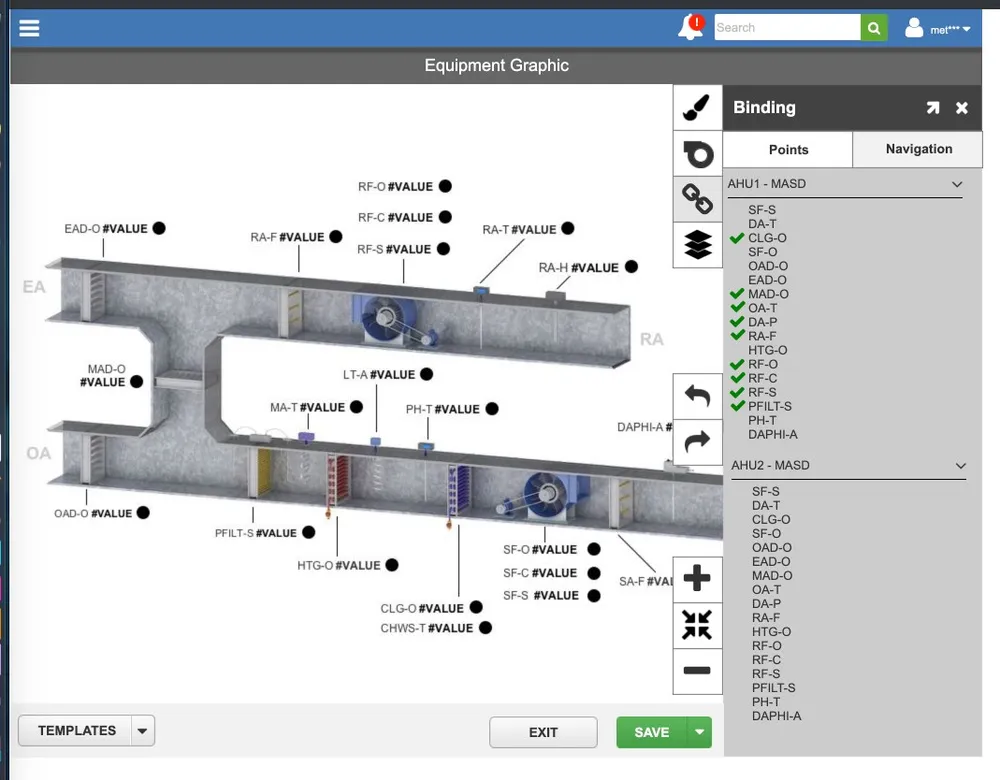
Supporting artifacts
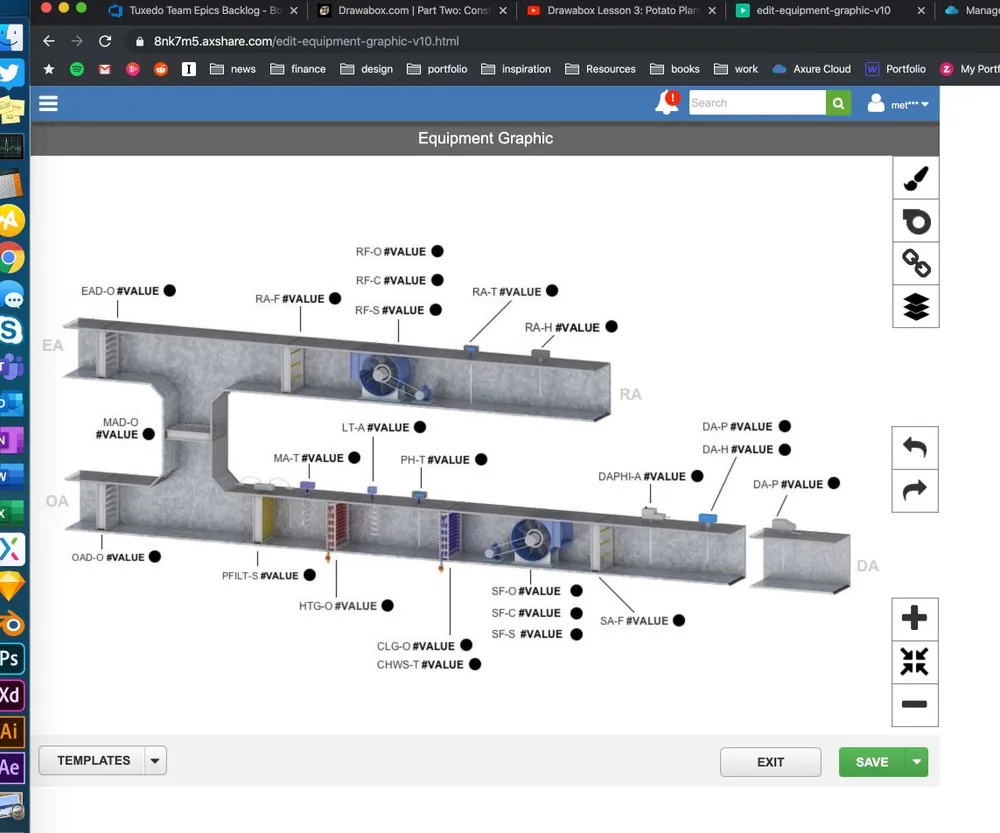
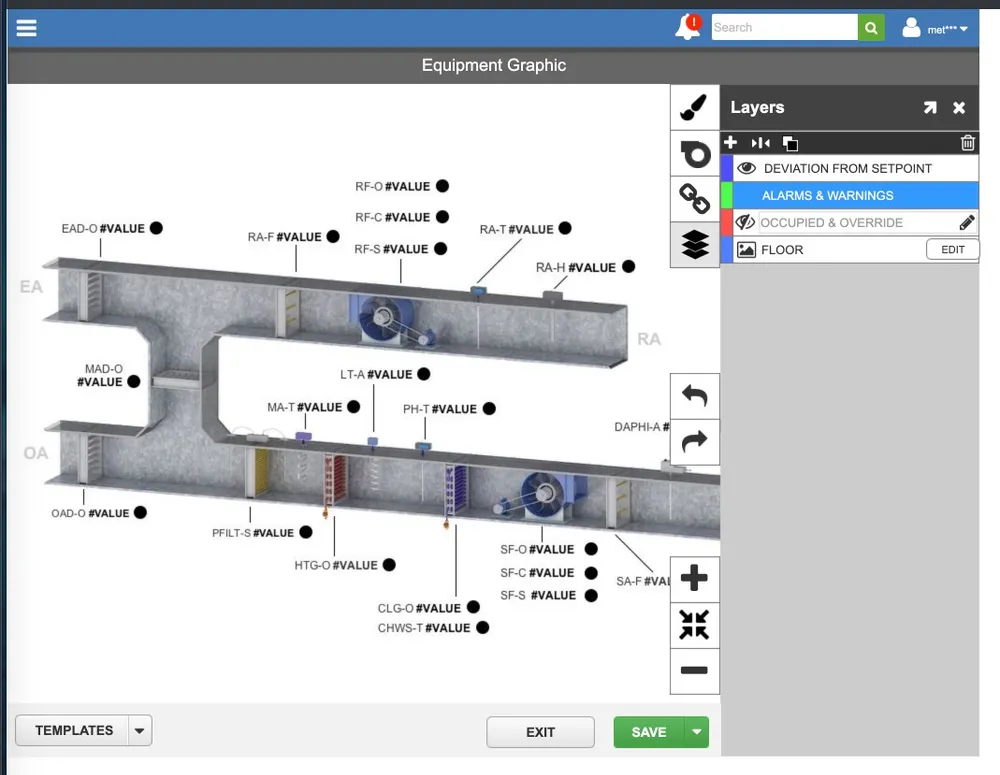
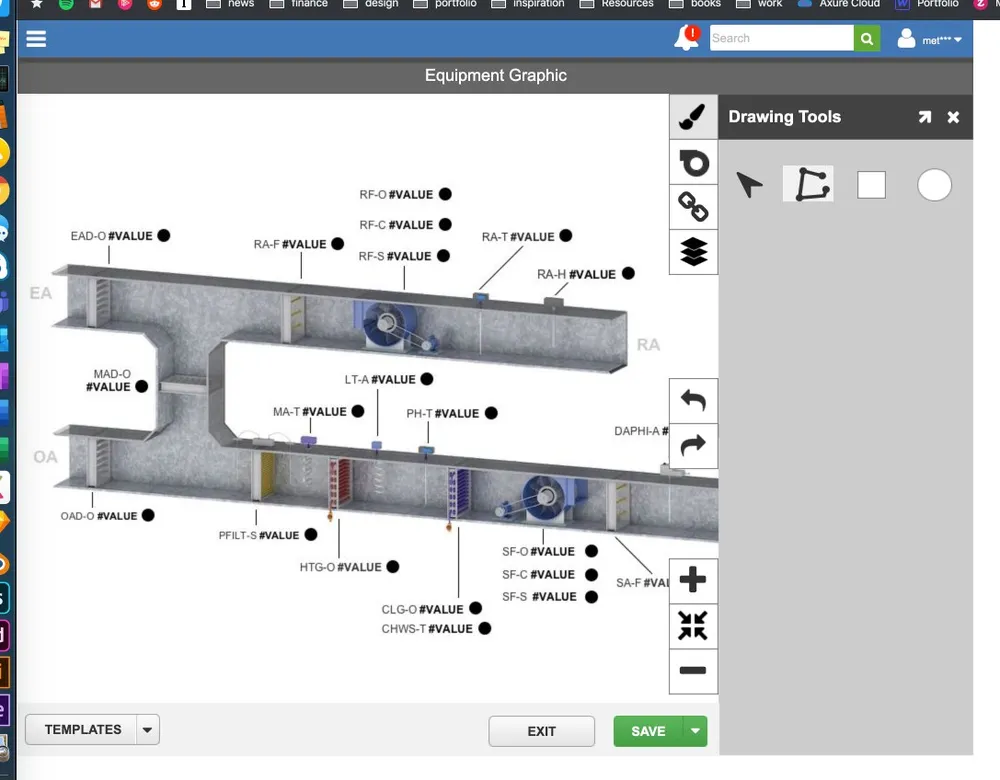
Primary editor workflows tested with users
Editing makes sense on the web — not on the go. Users didn’t want to build on mobile; they wanted to see and get information. That single finding reshaped the whole platform strategy.
What usability testing taught usAdaptive, not mobile-first
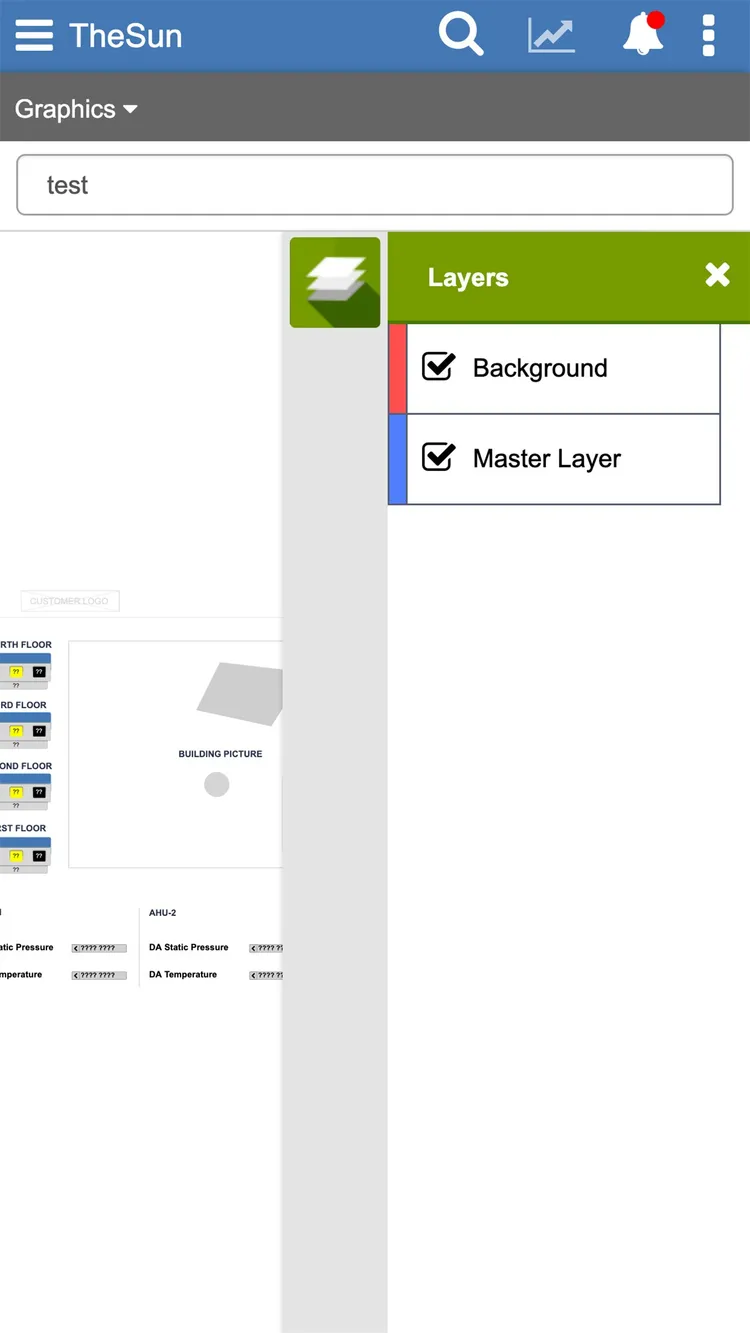
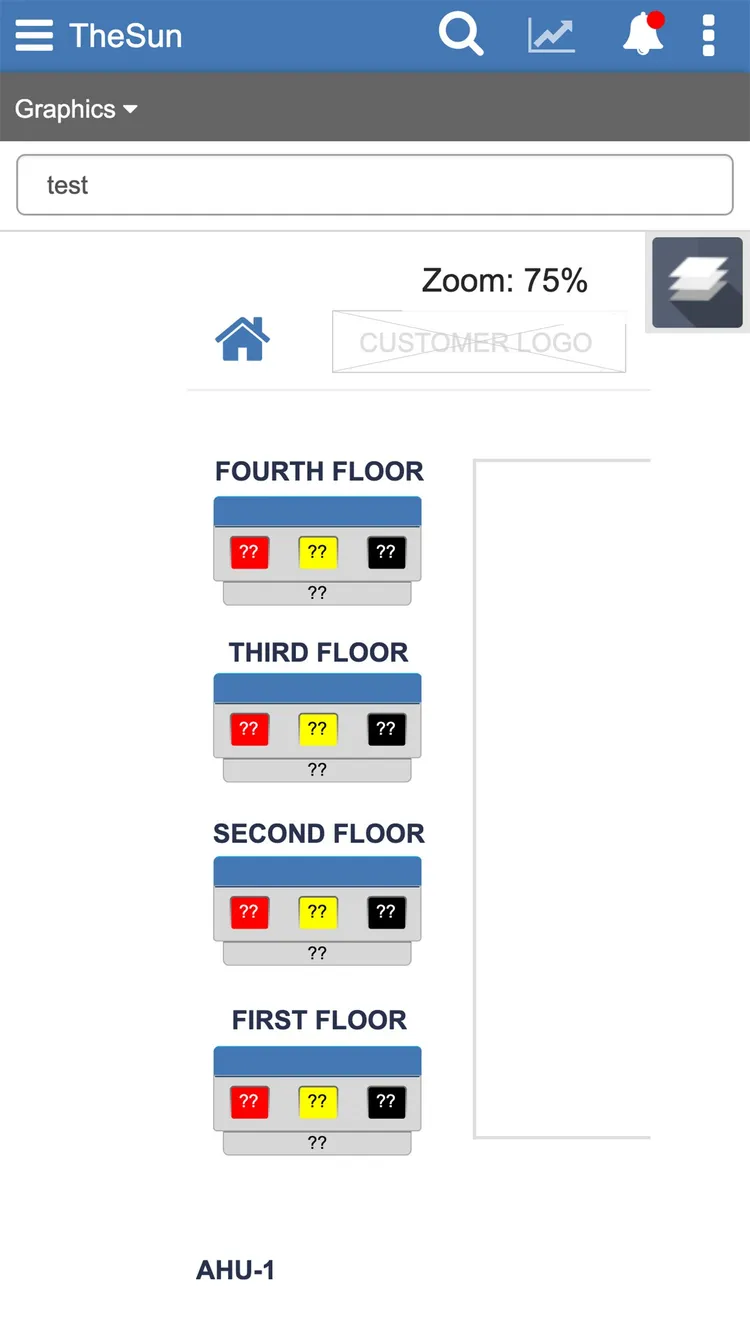
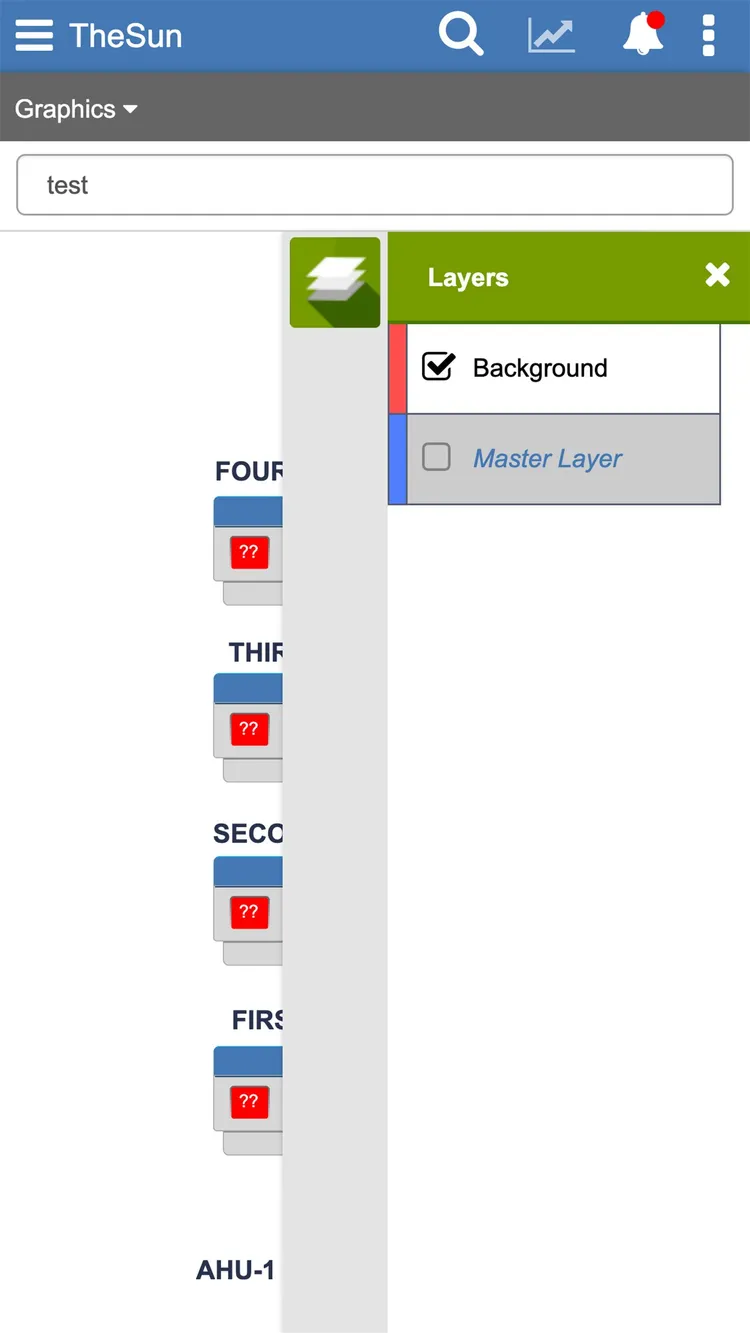
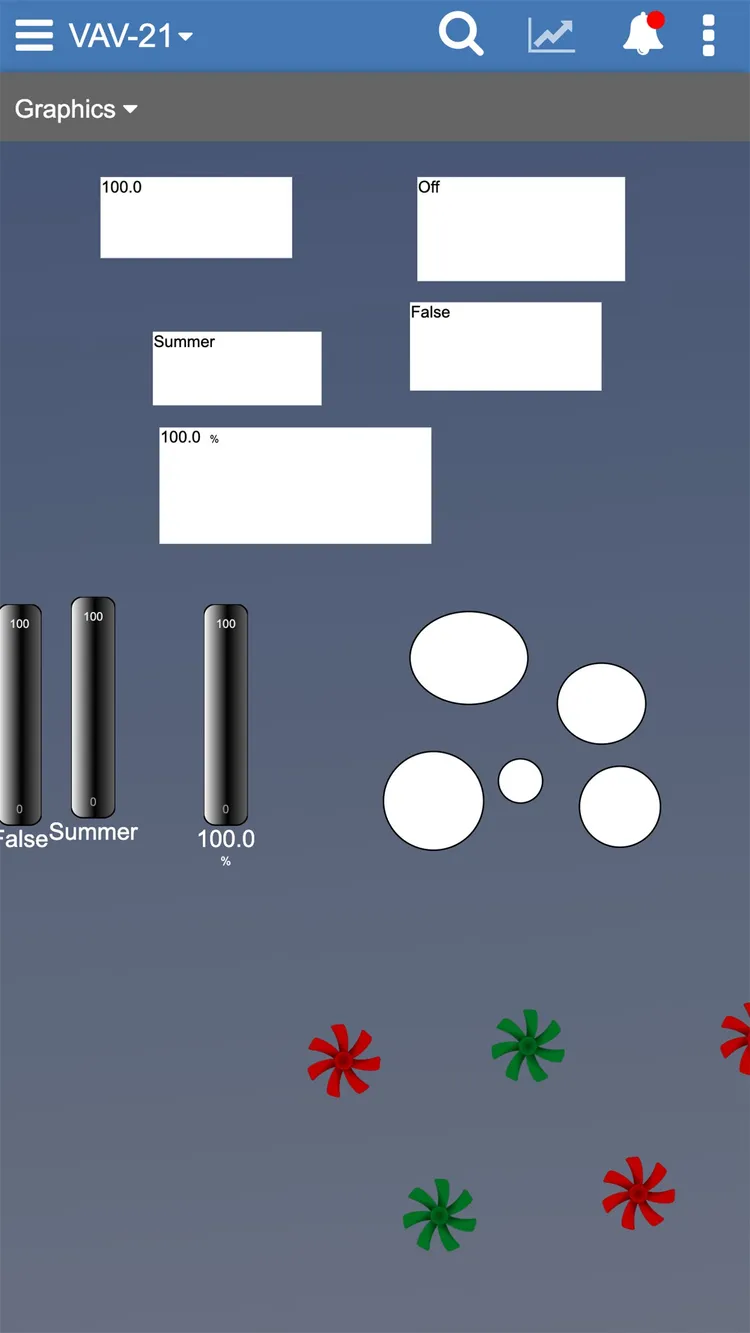
So the team made a call: an adaptive experience would serve users best. On mobile and tablet, operators could see and interact with the dynamic functionality built in the editor. The full Graphics Editor — build, edit, deploy — stayed on the web, where it belonged.
Supporting artifacts
Adaptive mobile & tablet — see and interact with live functionality, not build
Design the six custom behaviors
The trickiest piece was Custom Behaviors — logic bound to graphical elements and driven by live data from a Metasys ADX server over BACnet, the protocol most HVAC software speaks. Testing surfaced six behaviors operators needed to configure:
A guided, step-by-step wizard
I first explored a wizard: a three-step flow — Trigger → Effects → Preview. Early research said it was intuitive but cumbersome. Users wanted something more in-line with the canvas, with fewer clicks.
Supporting artifacts
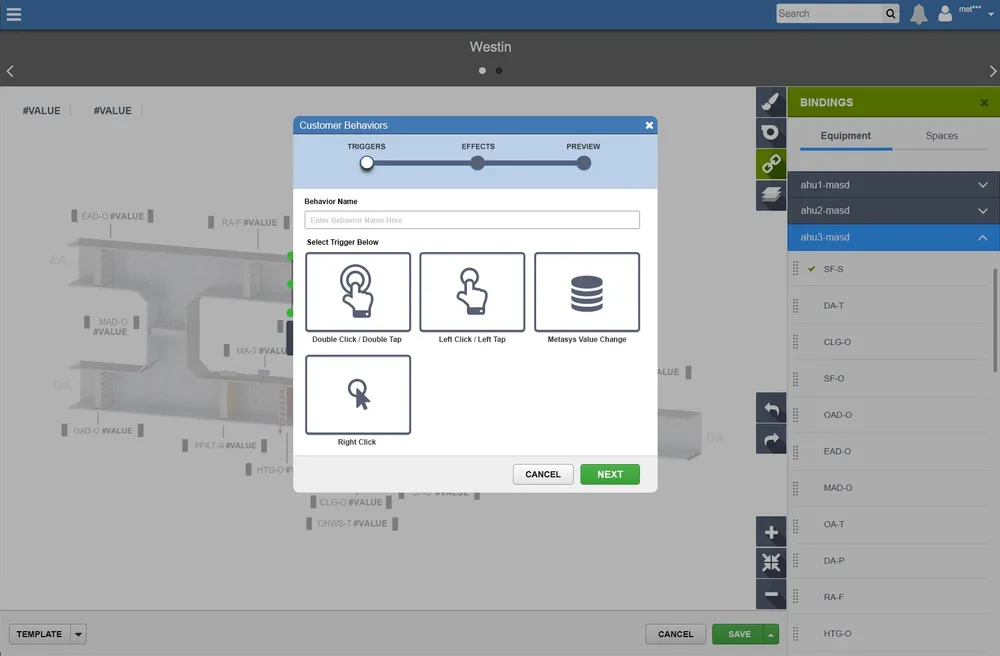
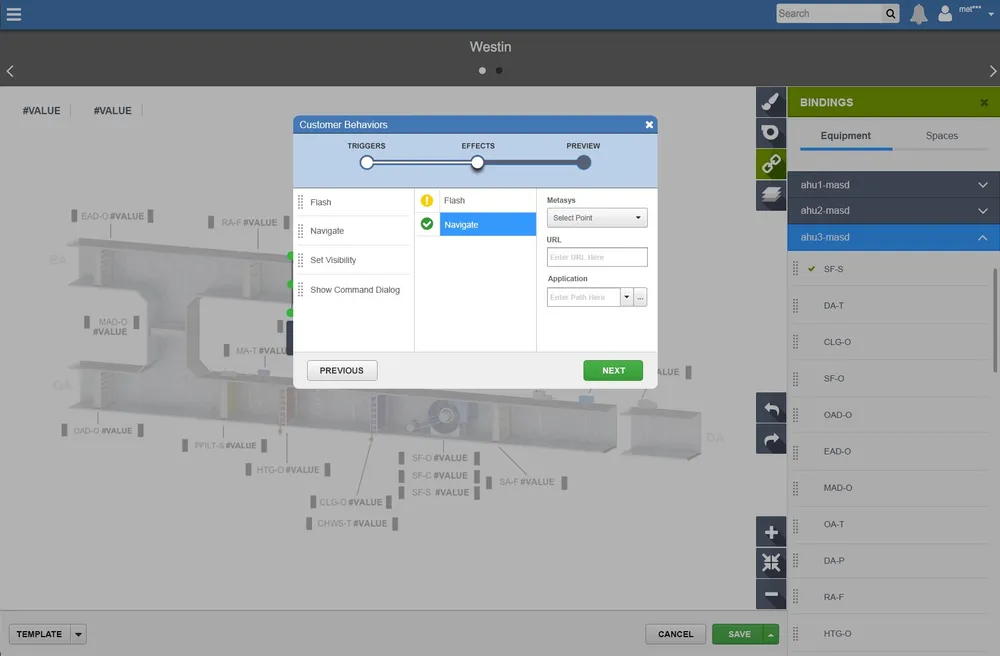
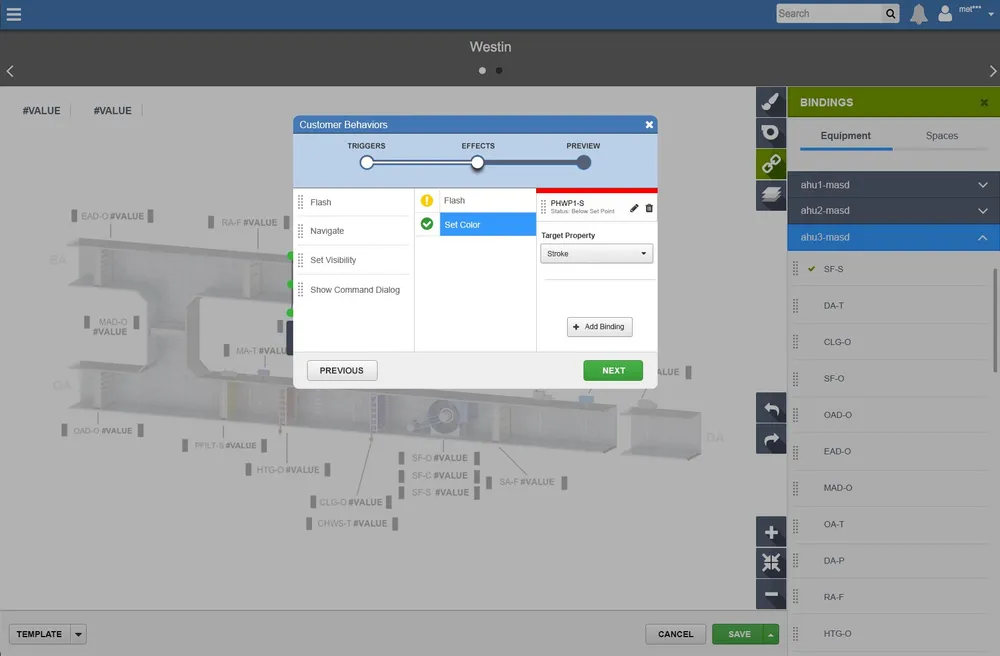
The guided wizard · Trigger → Effects → Preview
Wizard prototype — oyvpl5.axshare.com ↗· password-protected — credentials on request
A Scratch-inspired logic builder
Then a visual Logic Builder, inspired by Scratch — the kids’ coding editor. Drag behaviors from a panel onto a canvas of nodes, wire up expressions, conditionals and interactions, with a live preview in the corner. It drew a lot of praise — but at the time it simply wasn’t technically feasible to build.
Supporting artifacts: The Scratch-inspired Logic Builder — praised, but ahead of what was buildable
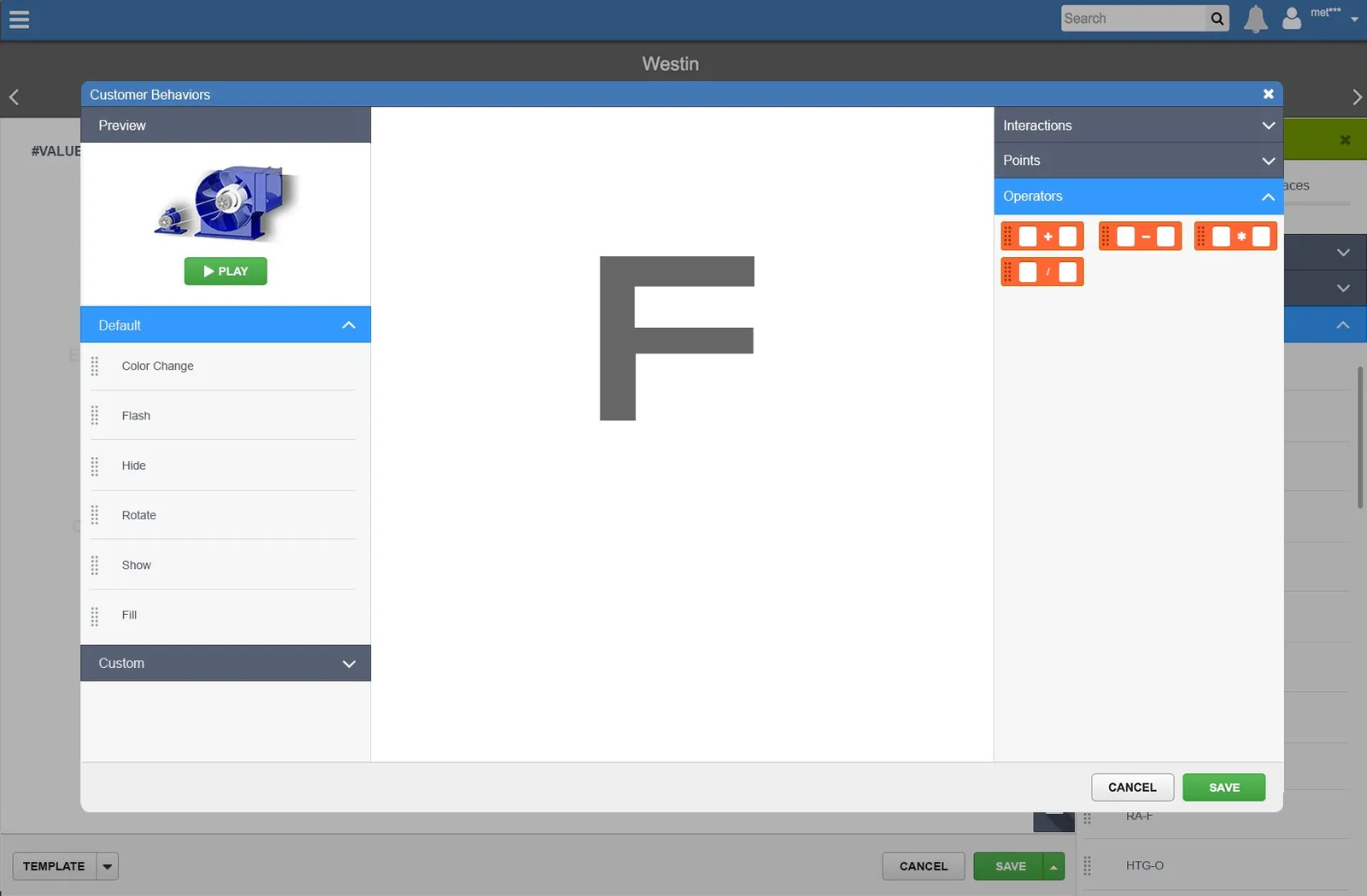
Logic Builder prototype — kulsw6.axshare.com ↗· password-protected — credentials on request
Today, Custom Behaviors live in a left-hand fly-out panel, so the canvas and its logic are configured side by side. Power users — who do the bulk of the configuration — wanted flexibility over hand-holding, so much of the wizard’s structure survived into the shipped product.
Supporting artifacts
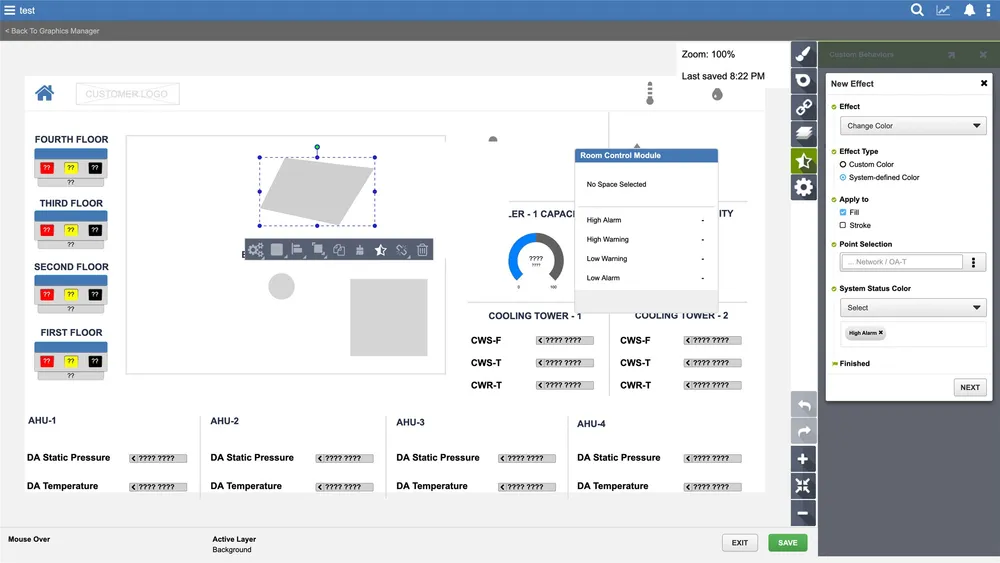
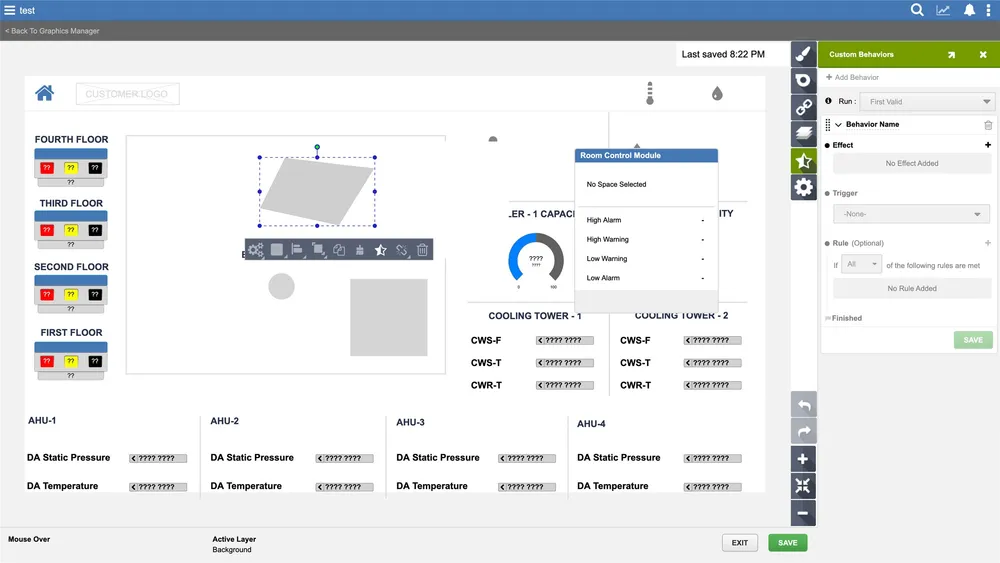
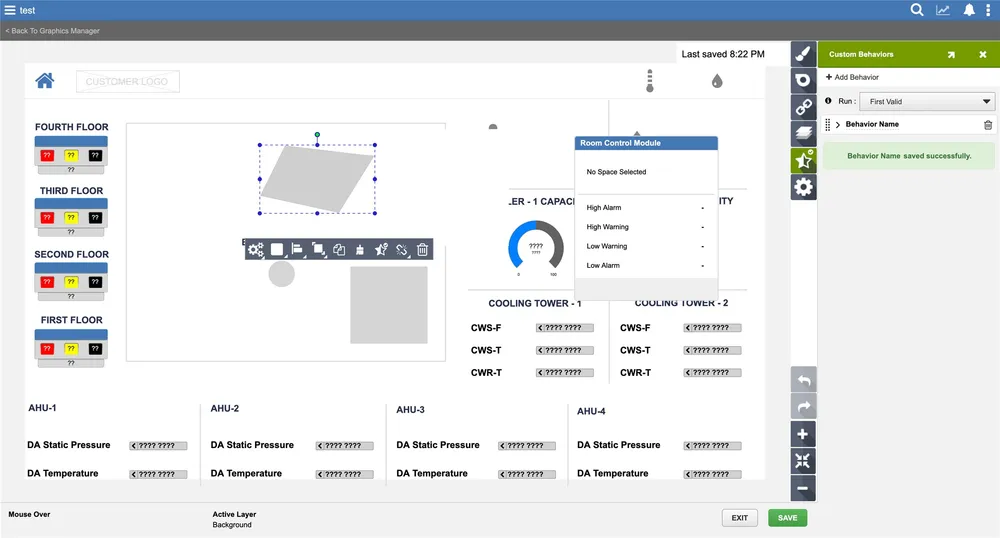
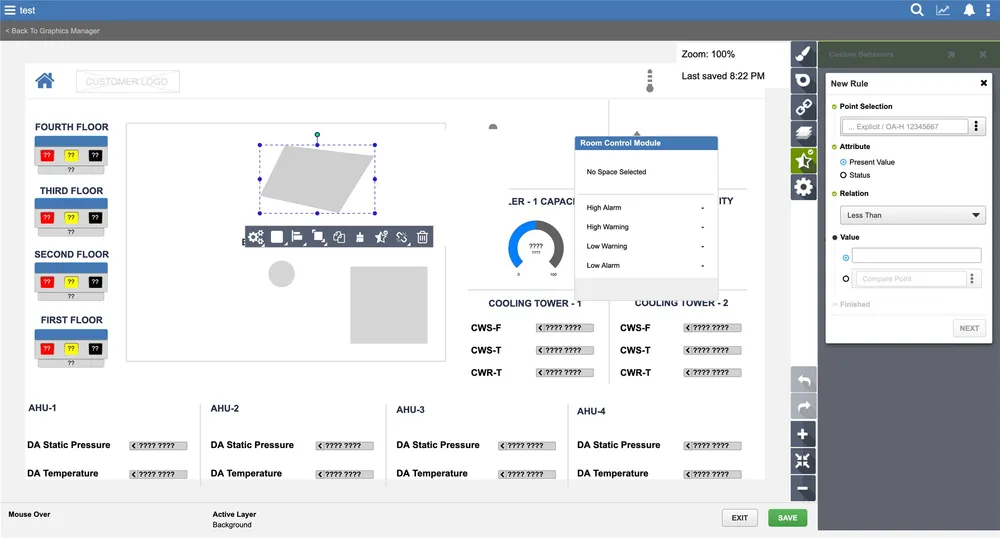
Shipped Custom Behaviors — the left-hand fly-out panel
Land a jewel-toned visual language
Finally, the visual style. I explored both light and dark themes — the dark ones had gorgeous high contrast, but didn’t sit right inside Metasys’ broader branding. I landed on a lighter, jewel-toned theme that felt at home in the product.
Supporting artifacts
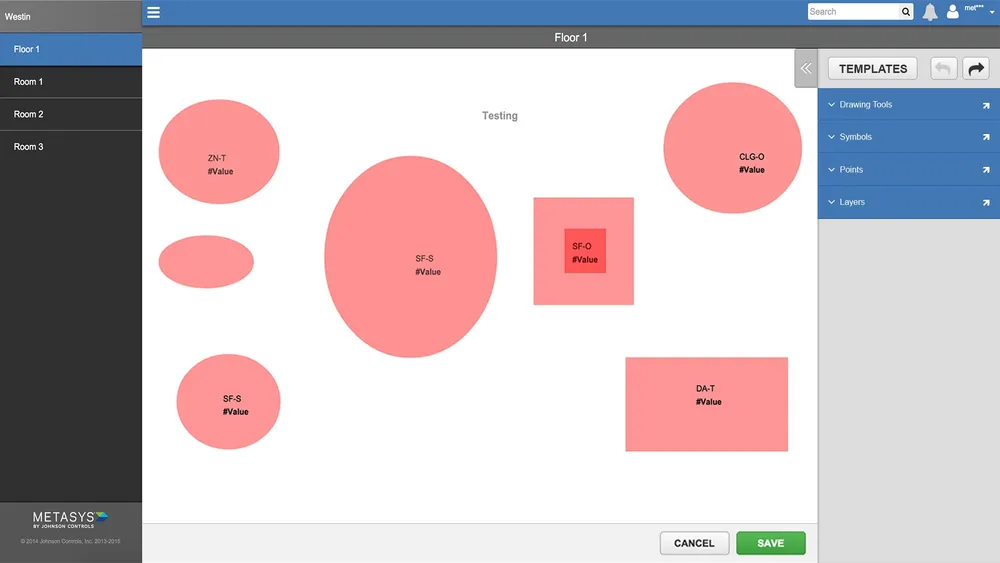
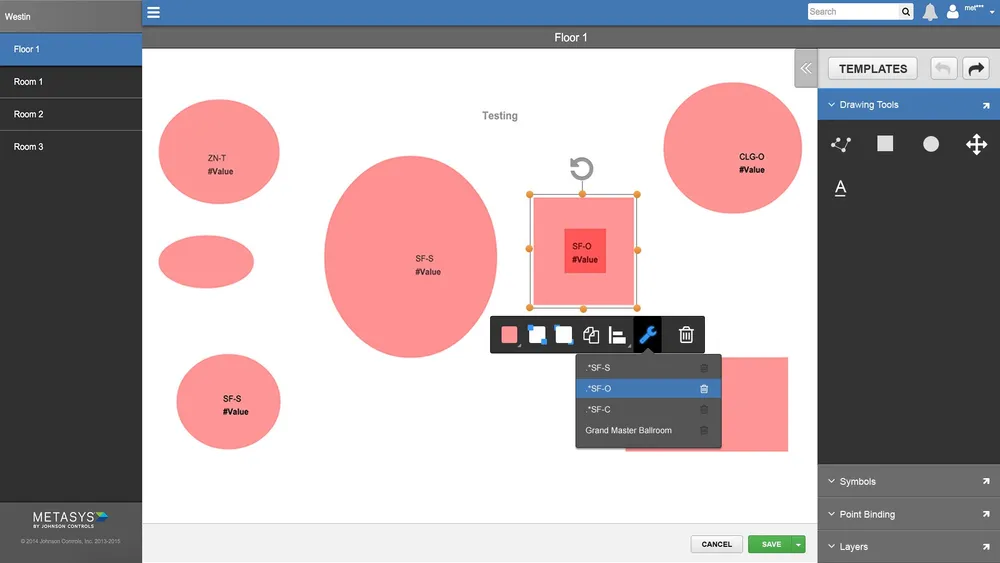
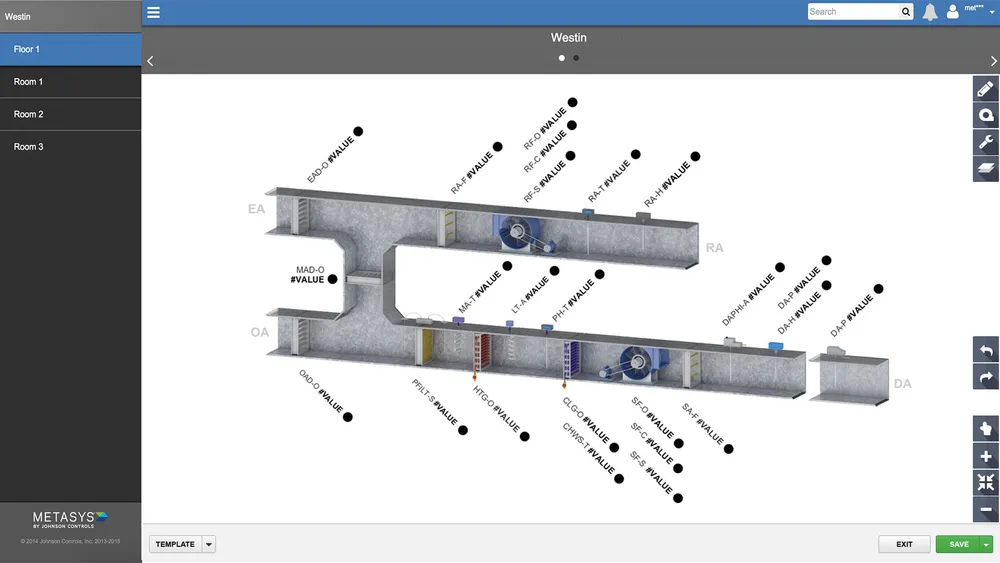
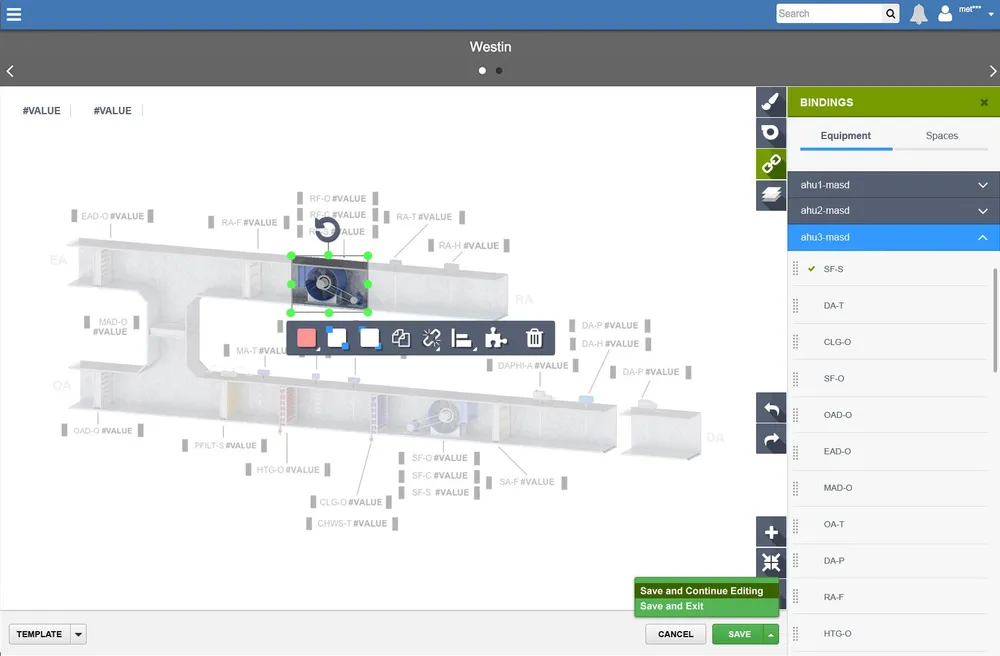
Theme exploration — landing on jewel tones
Shipped in 7.1 — and a trip I’ll never forget.
As the design phase wrapped, I got the chance to work directly with the developers at Johnson Controls’ India Engineering Center in Pune. Six weeks — my first time in India — working shoulder-to-shoulder to integrate everything into Metasys UI.
The Graphics Editor was the first feature released in Metasys 7.1, in the Fall of 2014 — and a genuine game-changer in the HVAC industry at the time.
Supporting artifacts: Six weeks with the development team · Pune, India

Graphics built with the tool, out in the real world
Operators used the Graphics Editor to model their own facilities — here are three.
Supporting artifacts: San Francisco Int’l Airport
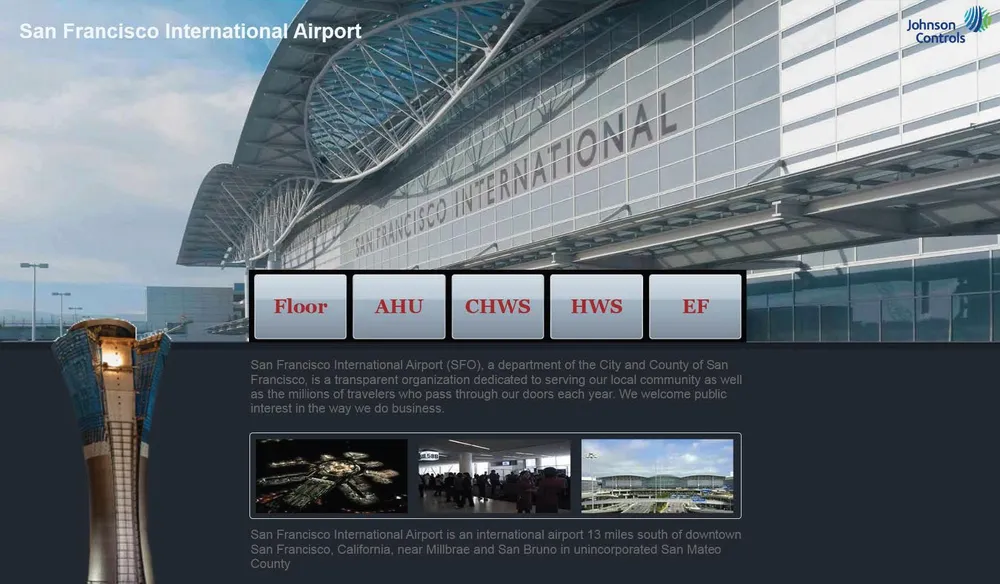
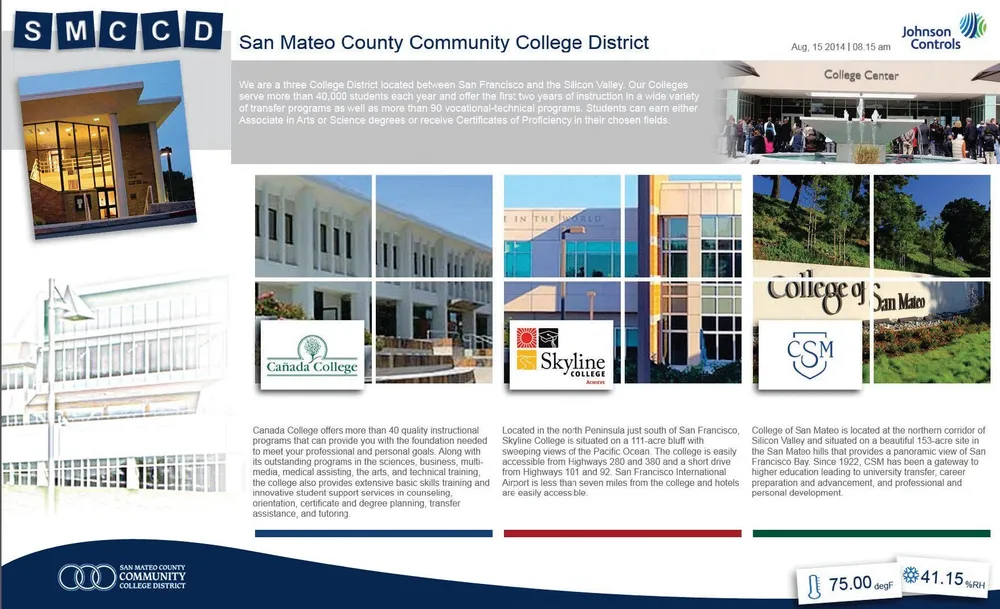
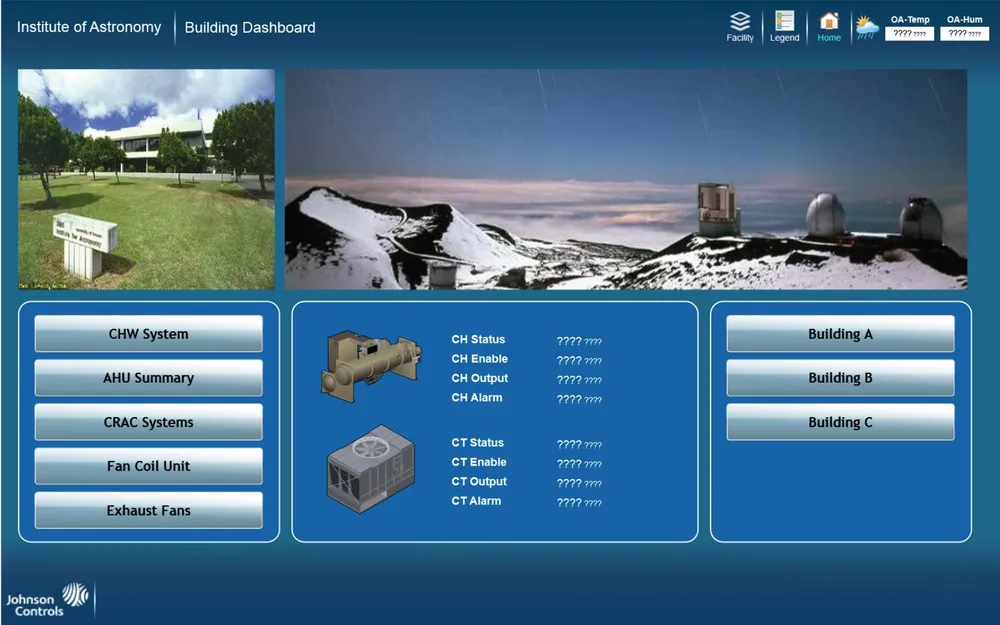
Graphics Manager — reused from my 7.1 design
Added later to rearrange, rebind, and template graphics, Graphics Manager takes heavy influence from the experience I designed for 7.1. Seeing my work reused as a foundation told me I’d built something scalable — reusable patterns that cut design and development cycle time.
Supporting artifacts
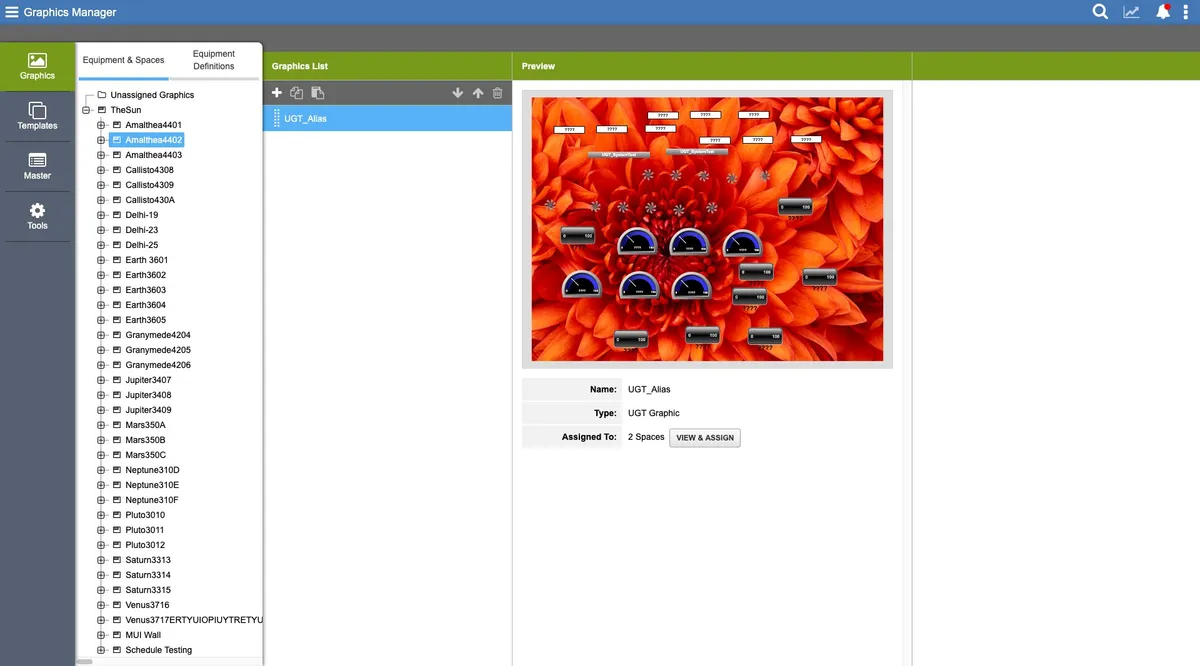
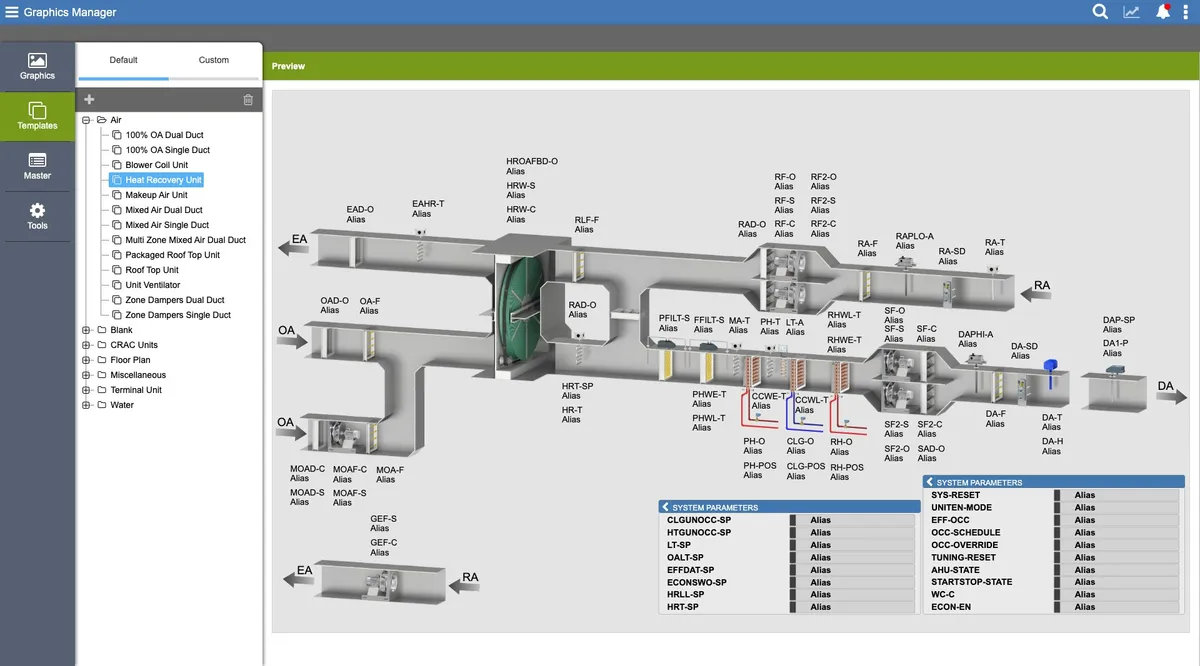
Graphics Manager — built on the 7.1 foundation
Because of the chance to travel, this project will always hold a special place in my career. I met and worked with so many amazing people, experienced a wonderful culture — and I hope I can return one day.
— Alan Schwegler · ReflectionAdam Grabowski
UX Lead
Michael Seidel
UX Research Lead
Alan Schwegler
UX Designer